
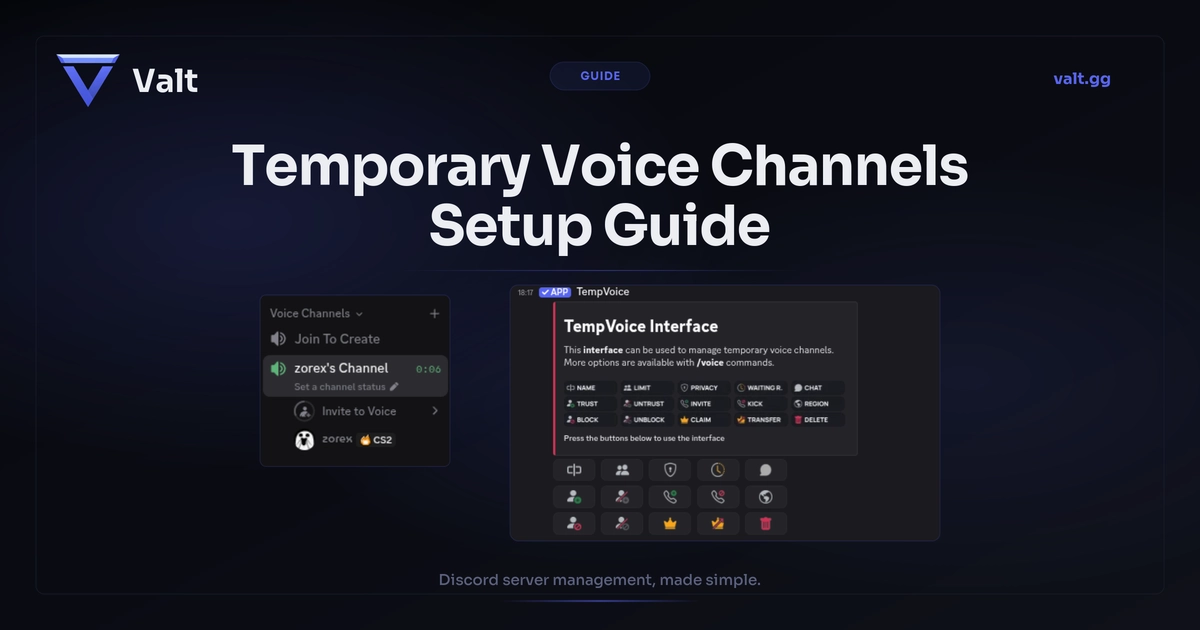
Temporary voice channels are voice channels that get created automatically when a user joins a "Join to Create" hub channel, and get deleted when the last person leaves. Discord does not have this as a native feature, so you need a bot. You set up one hub voice channel as a trigger. When someone joins it, the bot creates a fresh voice channel, moves the user in, and gives them controls to rename it, lock it, kick people, and set user limits. When everyone leaves, the channel disappears. No more empty "Gaming 1, Gaming 2, Gaming 3" channels cluttering your sidebar. We tested the seven most popular bots that offer this feature and compared their free tiers, controls, and setup experience.
Key Takeaways
- Discord has no native temp VC feature. You need a bot
- Best dedicated bots: TempVoice (our top pick) and Astro, both free with full control panels
- Best multi-purpose bots with temp VC: Maki (free) and Valt (private tool, with in-voice controls)
- Setup takes under 5 minutes: invite a bot, pick a hub channel, configure naming
- The #1 setup issue is incorrect bot permissions on the category level
Table of Contents
Why Your Server Needs Them
A server with 9 permanent voice channels and nobody talking in any of them looks abandoned. A server where channels appear and disappear based on actual activity looks alive. Temporary voice channels keep your sidebar clean by only showing active conversations.
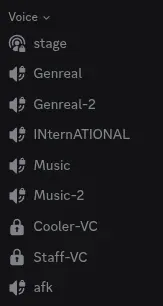
They also remove a bottleneck. Without temp VCs, every private voice conversation requires someone with channel permissions to create one. With temp VCs, any member can spin up their own channel, lock it, rename it, and delete it when they are done. No mod tickets, no waiting.
This scales automatically. A server with 50 members might get by with a few static channels. A server with 5,000 members cannot predict how many voice channels it needs at any given moment. Temp channels scale up during peak hours and scale down when things are quiet. Gaming squads, study groups, private calls, tournament matches, community events: they all benefit from on-demand voice channels.
Best Temp VC Bots Compared
A good temp VC bot needs to do four things: create a channel when someone joins the hub, give the creator ownership and control, provide tools to manage the channel (rename, lock, kick, set limits), and clean it up when everyone leaves. We tested seven bots and compared how well they deliver on each.
| Bot | Servers | Type | Free Tier | Verdict |
|---|---|---|---|---|
| TempVoice | 395K | Dedicated | 15 buttons, all functional | Our top pick |
| Astro | 166K | Dedicated | 16 buttons, 2 generators | On par with TempVoice |
| VoiceMaster | 683K | Dedicated | 1 hub, 75% locked | Great features, mostly paid |
| Maki | 1.5M+ | Multi-purpose | Full temp VC free | Good if already using Maki |
| Valt | - | Multi-purpose | 8-button panel, full controls | Best AIO with temp VC |
| MEE6 | 19.5M | Multi-purpose | Premium only | Skip for temp VC |
| ProBot | 10.3M | Multi-purpose | Very basic, controls are premium | Too basic |
Pricing at a Glance
| Bot | Free Temp VC | Premium Price | What Premium Adds |
|---|---|---|---|
| TempVoice | Yes, full controls | €4/mo per server | Custom interface styling, mod logging, unlimited creators |
| Astro | Yes, 2 generators | $3.99/mo per server | Unlimited generators, waiting rooms, private text chats |
| VoiceMaster | 1 hub, most locked | £3.99/mo per server | Unlimited hubs, all commands, custom bot profile |
| Maki | Yes, full | $7/mo (other features) | Temp VC is free, premium is for AI, automations, etc. |
| Valt | Yes, full controls | Private, by arrangement | Temp VC included, no separate add-on |
| MEE6 | No | $5-12/mo or $90 lifetime | Temp VC requires premium to use at all |
| ProBot | Basic only | Varies | User controls interface requires premium |
Dedicated voice channel bots
TempVoice (395K servers) - Our Top Pick
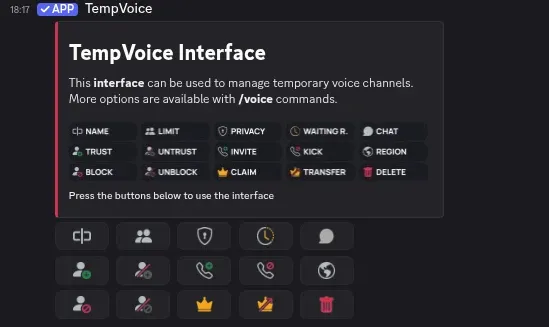
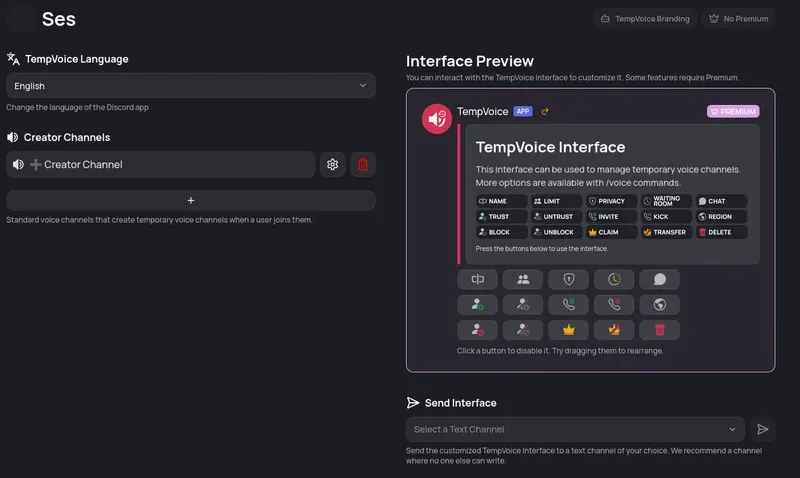
TempVoice has the highest user satisfaction at 4.78/5 and the smoothest onboarding of any bot we tested. It sends a control panel with 15 buttons (Name, Limit, Privacy, Trust, Kick, Claim, Delete, and more) to a public text channel, so members can manage their channel without needing to open the voice channel's text chat. All buttons work on the free tier. Only custom interface styling requires premium (€4/month). One note: it asks for Administrator permissions during setup.
Astro (166K servers)
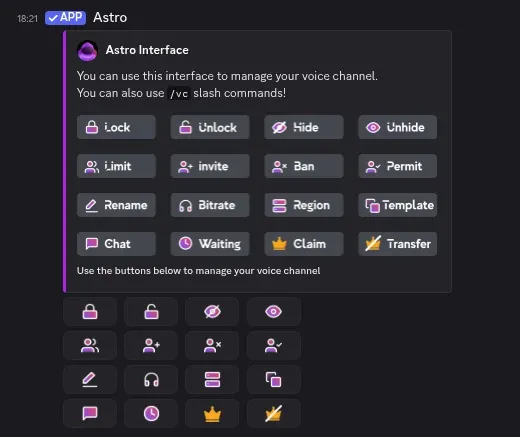
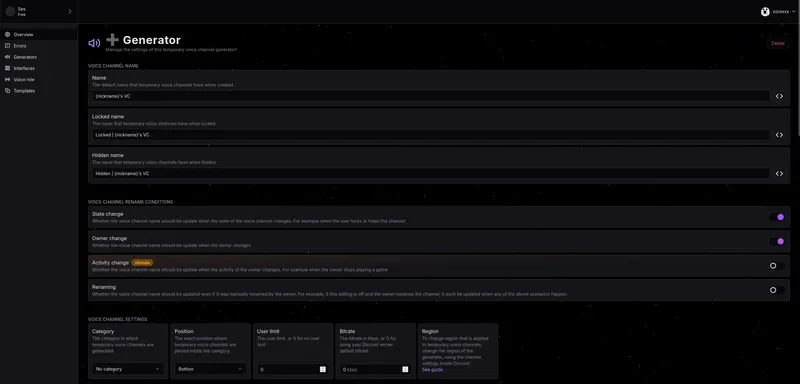
Astro focuses exclusively on voice channels and offers a similar interface to TempVoice with 16 control buttons. The dashboard has a ton of customization even on the free tier: separate naming templates for default, locked, and hidden channel states, configurable rename conditions, and permission inheritance settings. Premium is $3.99/month and unlocks unlimited generators, waiting rooms, and private text chats. The free tier gives you 2 generators, 1 interface, and 3 templates. Also asks for Administrator permissions. On par with TempVoice.
VoiceMaster (683K servers)
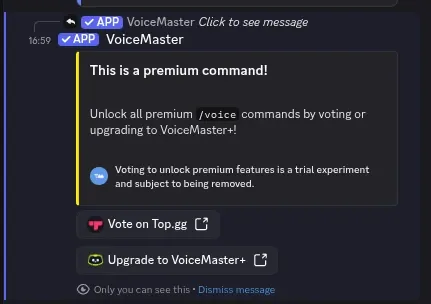
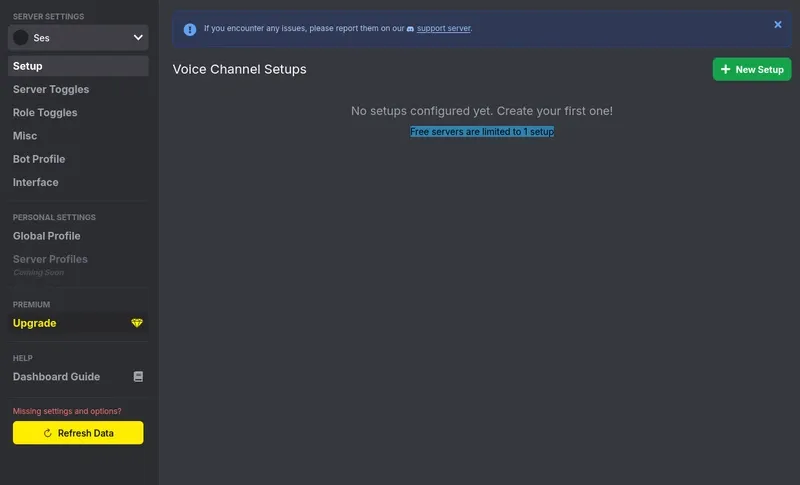
VoiceMaster is the most popular dedicated temp VC bot by server count. It works well, and their website has a good tutorial. The problem: roughly 75% of the settings and commands require a premium subscription or a top.gg vote. You will constantly run into "This is a premium command!" popups. The features go above and beyond (five setup modes, custom bot profiles, channel regions), but most server owners will not pay for a temp voice bot when TempVoice and Astro offer full control panels for free. Premium starts at £3.99/month.
Multi-purpose bots with temp VCs
MEE6 (19.5M servers)
MEE6 is the largest Discord bot, but its temporary channels feature is locked behind MEE6 Premium ($12/month, $5/month annually, or $90 lifetime). You cannot even test it on the free tier. With dedicated bots offering full temp VC for free, there is no reason to pay for a MEE6 subscription just for this feature.

ProBot (10.3M servers)
ProBot has a temp VC feature, but it is very basic. You join, it creates a channel, you leave, it gets removed. That is it. The interface with user controls is a premium feature. If you need anything beyond the bare minimum, look elsewhere.
Maki (1.5M servers)
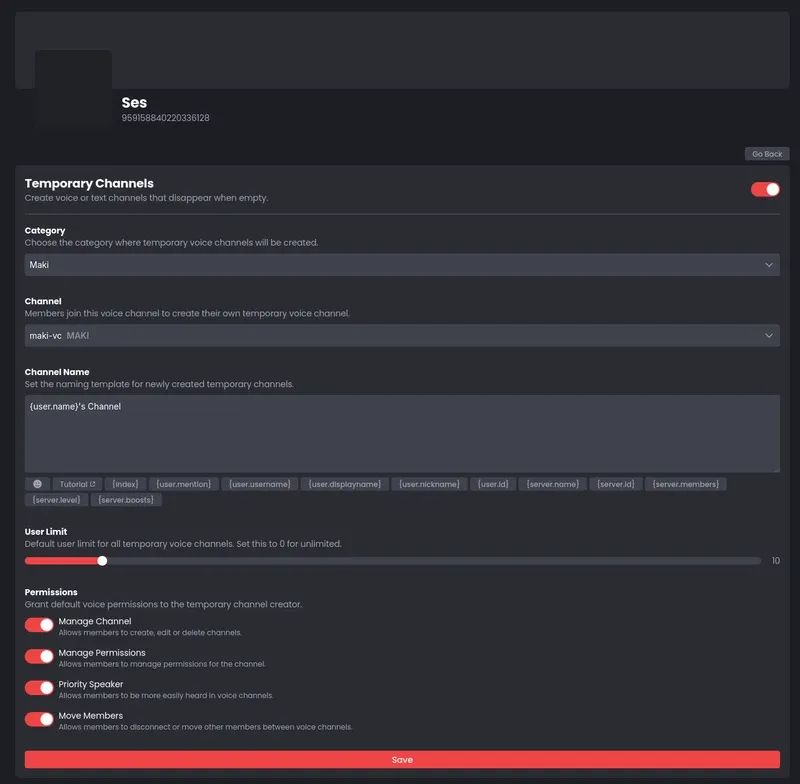
Maki includes temp channels for free as part of its multi-purpose feature set. The dashboard lets you configure a hub channel, naming template with placeholders, user limit, and four permission toggles. You cannot set a default bitrate. One issue we noticed: the temp VC was not always deleted after everyone left, requiring manual cleanup. The naming template also defaulted to "New Channel" instead of the expected username pattern, likely a temporary bug. Good option if you are already in the Maki ecosystem.
Valt
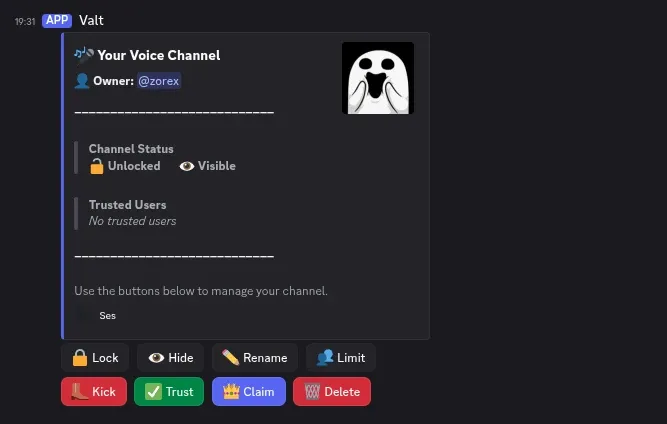
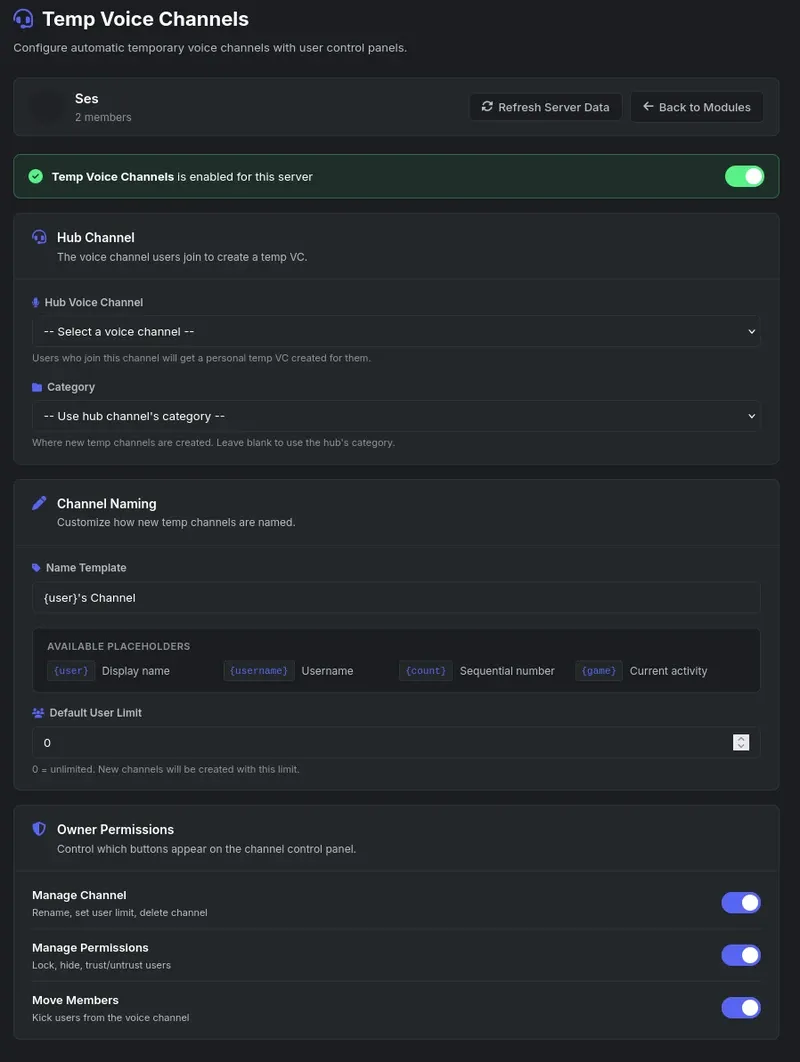
Valt is a private, all-in-one Discord management tool, and its Temp Voice Channels module is part of the package. Dashboard configuration is similar to Maki (hub channel, category, naming template, permission toggles), but Valt also sends an 8-button control panel (Lock, Hide, Rename, Limit, Kick, Trust, Claim, Delete) directly inside the voice channel's text chat. It is not the bot with the deepest voice channel customization, but if you need an all-in-one bot that handles moderation, tickets, levels, and 10 other modules alongside solid temp VCs, it is a strong choice.
If you only need temp VCs, go with TempVoice or Astro. If you already use a multi-purpose bot that supports it, try its built-in feature first before adding another bot.
How to Set Up Temporary Voice Channels
The setup process is similar across all bots. Here is a general walkthrough.
1. Invite the bot and check permissions
Add the bot to your server. At minimum, a temp VC bot needs Manage Channels, Move Members, Manage Roles, View Channels, and Connect. Some bots ask for Administrator for simplicity. Make sure the bot's role is positioned above your member roles in the server hierarchy.
2. Create a hub channel
Create a voice channel named "Join to Create," "Create VC," or "+ New Channel." Place it at the top of your voice section so members find it easily. This channel is purely a trigger. Nobody talks in it.
3. Configure the bot
Point the bot to your hub channel through its dashboard or slash commands. Set a naming template (most bots default to {user}'s Channel), a category for new channels, and a default user limit. Choose which controls channel owners get: rename, lock, kick, and so on.
4. Check category permissions
This is the step most people skip, and it causes the most issues. The bot needs its permissions on the category where temp channels are created, not just at the server level. Discord permissions cascade from categories to channels inside them. If the category blocks the bot, every channel it creates there will fail.
Test your setup from a non-admin account. Administrators bypass all permission restrictions on Discord, so testing as an admin will always work even if regular members would get errors.
5. Test it
Join the hub channel. The bot should create a new voice channel, move you in, and send a control panel. Try the buttons. Leave and confirm the channel gets deleted. If something fails, check the bot's permissions on the category first.
Tips and Common Mistakes
Keep a few permanent voice channels alongside your temp VCs. Every bot has downtime eventually, and when the bot is offline, no new channels get created. A static "General Voice" channel gives members somewhere to go.
Use naming templates with the user's name. {user}'s Channel makes it immediately clear who owns each channel. For gaming servers, {game} - {user} shows what people are playing.
Give moderators override permissions so they can join locked or hidden channels when needed. Without this, temp VCs become unmoderable private spaces. Pair temp VCs with AutoMod for automated text filtering inside voice channel chats.
The most common mistakes:
- Not setting category-level permissions (the #1 cause of "the bot is not working")
- Bot role positioned too low in the hierarchy, so it cannot move members with higher roles
- Running multiple channel-creating bots and hitting Discord's 2,000 channel creations per 24 hours limit
- Testing only from an admin account, which bypasses all permission restrictions
- Editing bot-created channels manually through Discord settings, which can break the bot's tracking
- Forgetting the 50-channel-per-category limit on busy servers
Frequently Asked Questions
Can you make temporary voice channels on Discord without a bot?
No. Discord does not have a native temporary voice channel feature as of 2026. The community has been requesting it since at least 2018, but Discord has not announced plans to add it. You need a third-party bot like TempVoice, Astro, VoiceMaster, or Valt.
What is the best bot for temporary voice channels?
For dedicated voice bots, TempVoice (395K servers, 4.8/5 rating) and Astro (166K servers) offer the best free tiers with full control panels. VoiceMaster has the most features but locks most behind premium. For multi-purpose bots, Maki and Valt include temp VCs alongside moderation, leveling, and other features.
How does Join to Create work on Discord?
You set up a hub voice channel as a trigger. When a member joins the hub, a bot creates a new voice channel and moves the member into it. The member gets controls to rename, lock, and manage the channel. When the last person leaves, the bot deletes it automatically. The hub channel stays empty and ready for the next person.
Do temporary voice channels auto-delete when empty?
Yes. All temp VC bots monitor voice state changes. When the last non-bot user disconnects, the bot deletes the channel immediately. Some bots also run periodic cleanup tasks to catch orphaned channels left behind after a bot restart.
Why is my temp VC bot not creating channels?
The most common cause is missing permissions on the category where channels should be created. Discord separates server-level and category-level permissions. Make sure the bot has Manage Channels, Move Members, and Connect on the specific category. Also check that the bot's role is above your member roles in the hierarchy.
How many temporary voice channels can exist at once?
Discord allows a maximum of 500 channels per server (text and voice combined) and 50 channels per category. There is also a rate limit of 2,000 channel creations per 24 hours per server. For most communities, the 50-per-category limit is the one you will hit first.
Can moderators join locked temporary voice channels?
It depends on your permissions setup. If moderators have the Administrator permission or an explicit Connect override on the category, they can join any channel regardless of the owner's lock setting.
What happens to a temporary channel if the bot goes offline?
Existing temp channels stay open but lose their bot-managed controls. No new channels will be created from the hub. When the bot comes back online, most bots scan for orphaned channels and clean them up. This is why keeping permanent voice channels as fallback is recommended.
Temp voice channels, handled
Valt's TempVC module gives your members an 8-button control panel, auto-cleanup, and dashboard configuration. One private tool for voice channels, moderation, tickets, and more, built for serious communities. Access is by arrangement.
Request access Get in touch